




Possible printer problems you may experience in Windows 8 environment
Solution
In this page, we will show you the possible printer problems you may experience in Windows 8 environment and the solutions.
[Phenomenon]
Here are the possible 3 phenomena and the solutions. See below for details.
Phenomenon 1: Printer driver installation is disrupted after the message "Printer driver is currently in use" is displayed.
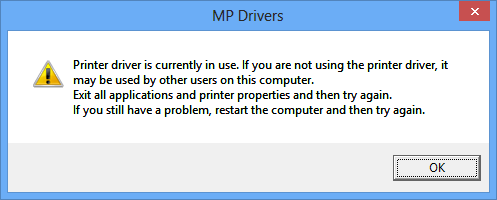
Before installing the Canon printer driver, if you connect a printer with a PC, this phenomenon occurs.
Phenomenon 2: Not all the setting items are displayed in Printing Preferences.

Before installing the Canon printer driver, if you connect a printer with a PC, this phenomenon occurs.
REFERENCE
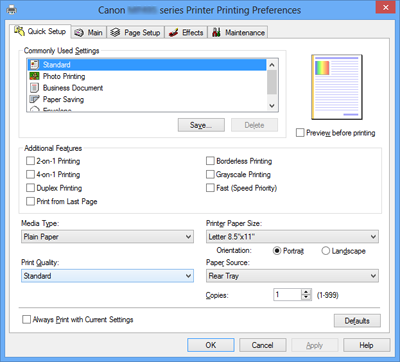
Printer Preferences window shows like the one below when Canon printer driver is installed.
Phenomenon 3: Printer Driver installation is disrupted after the message"An error occurred while communicating with the printer" is displayed.
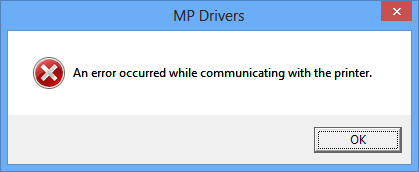
This phenomenon occurs while you set-up wireless LAN or wired LAN with a USB cable.
[Solution]
From Canon website, download the printer driver that supports Windows 8 and install it.