




How to specify the setting for COLOR MODE on the control panel
Issue
Cause and Solution
1. Move to the printer, then press  on the control panel.
on the control panel. 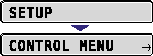
2. Select QUALITY MENU using  and , then press
  .
.
and , then press . 
The options for QUALITY MENU are displayed.
3. Select COLOR MODE using and , then press .
and , then press . 4. Specify the setting for COLOR MODE using and , then press .
and , then press . NOTE
For more details on COLOR MODE, see "Chapter 5 Printing Environment Settings" of User's Guide (PDF manual) in the CD-ROM supplied with the printer.