




Uninstallation Procedure (FAX-L160 only)
Solution
Before uninstallation, make sure of the following:
- You have the installation software available for installation.
- No application is running on your computer.
NOTE
- For uninstallation in Windows 2000/XP/Server 2003/Vista, you must be the user with administrative privileges.
- If you want to remove the manuals installed from [Easy Installation], you can manually uninstall them by selecting the [Additional Software Programs] on the UFRII CD-ROM Setup screen and click [Uninstall].
1. Click [start] on the Windows taskbar → [(All) Programs] → [Canon Printer Uninstaller] → [UFRII Printer Driver Uninstaller].
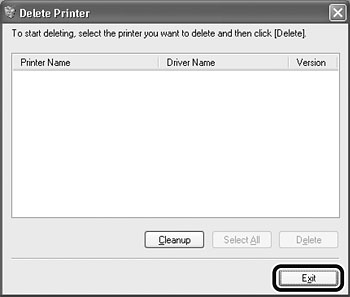
The [Delete Printer] dialog box appears.
2. Select [Canon L90/L160/L230 UFRII LT], then click [Delete].
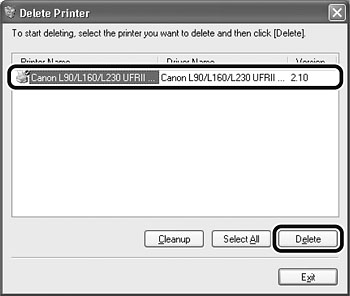
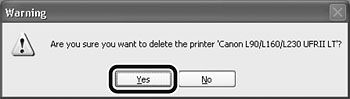
3. Click [Yes].
Uninstallation proceeds automatically and the next dialog box appears.
4. Click [Exit].
NOTE
Restart your computer if asked to do so.