




MAXIFY GX2070
MAXIFY GX2070
MAXIFY GX2070
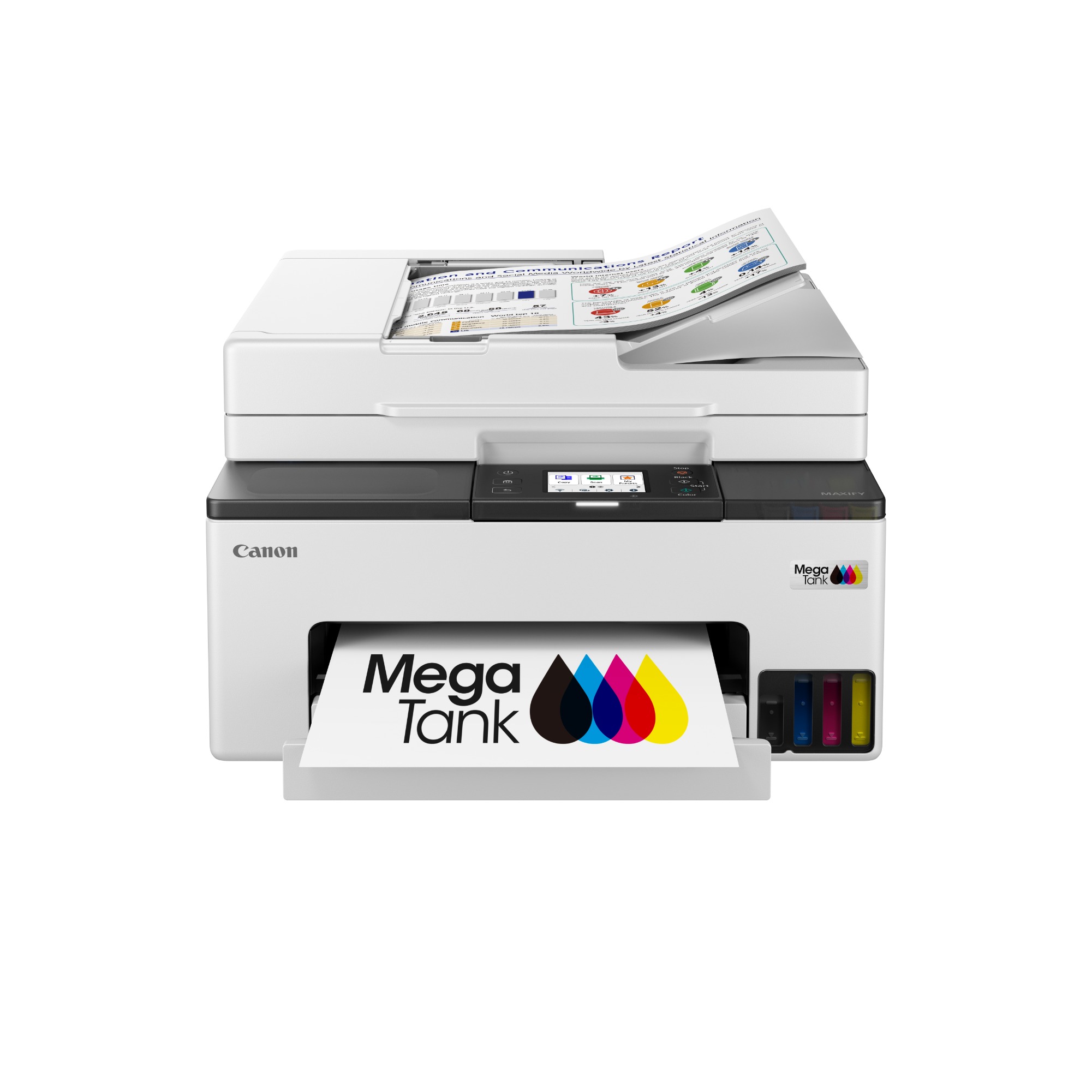
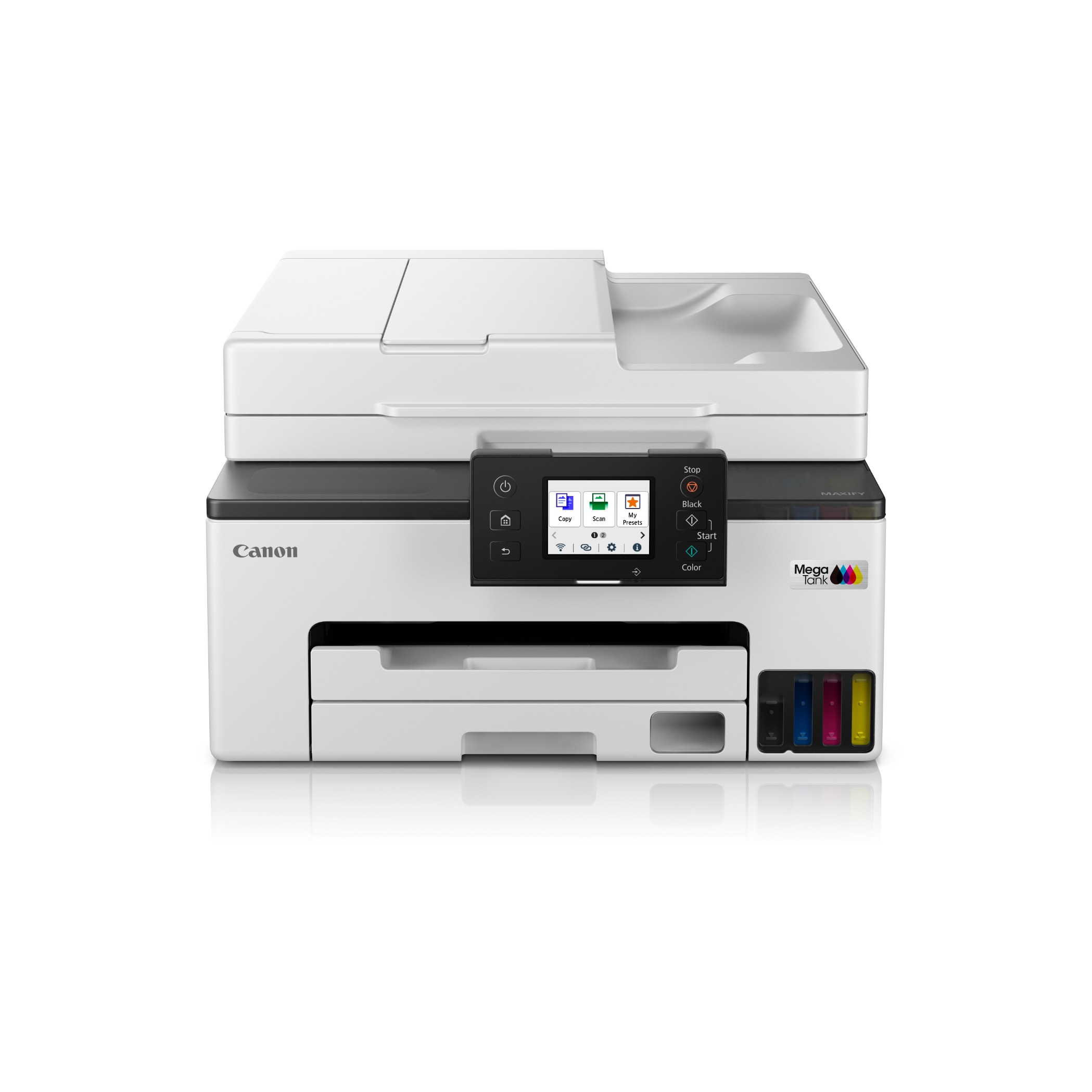
This high-performance printer combines low-cost printing with easy wireless setup and convenient maintenance. With its 4-in-1 functionality, the printer is equipped with a 35-sheet Auto Document Feeder, allowing for efficient batch scanning. Whether you need to print important documents or scan multiple pages quickly, this printer is designed to meet the demands of small offices.
Promotion
Key Features
Features
High Page Yield Ink Bottles
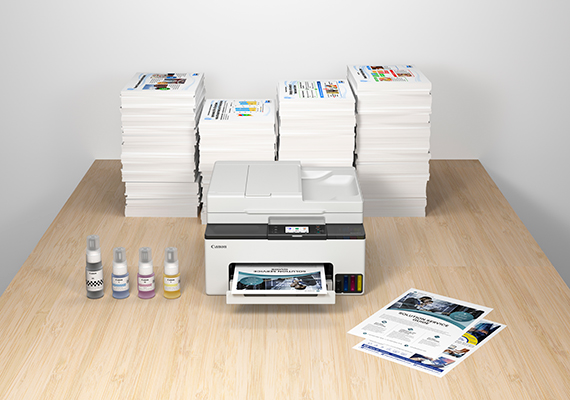
With high page yield ink bottles that print up to 4,500* pages for both mono and colour documents, perfect for home office printing without worry about ink costs!
*Economy mode.

Highlighter & Water Resistant Prints
The quick-drying pigment ink ensures high-quality document printouts that resist fading or moisture and accidental exposure to water.
Easy Maintenance
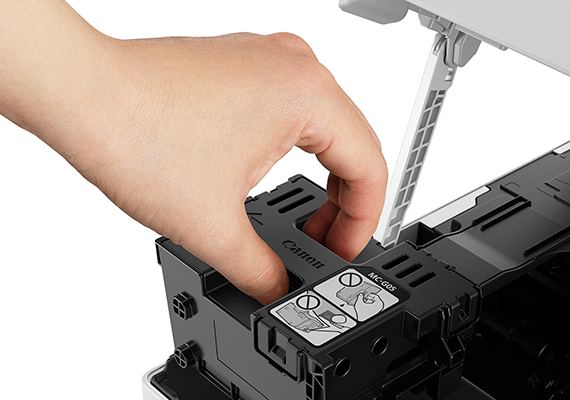
The easy-to-replace maintenance cartridge makes maintenance fuss-free and extends printer lifespan even when printing in high volumes.
Auto Document Feeder
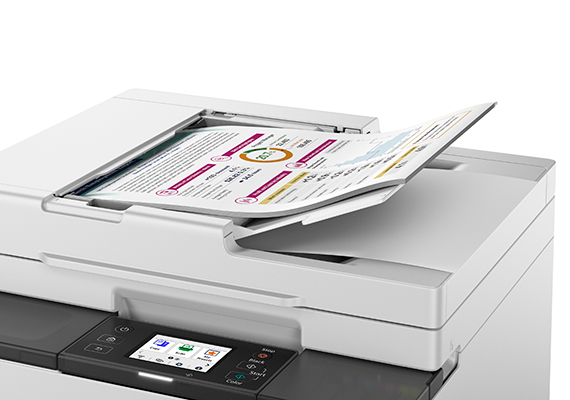
Speed up your workflow with the 35-sheet Auto Document Feeder for fast scanning and copying.
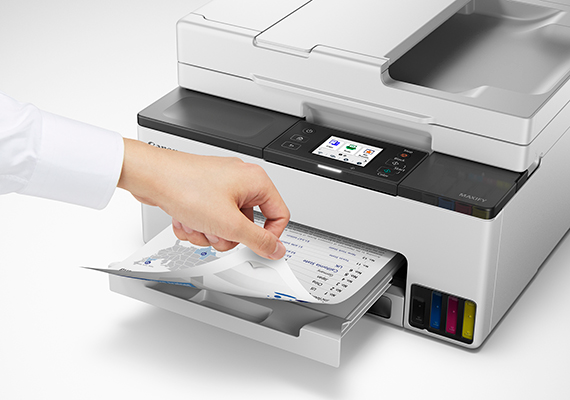
Auto Duplex Printing
Enjoy heightened productivity and ease-of-use by printing on both sides of papers automatically.
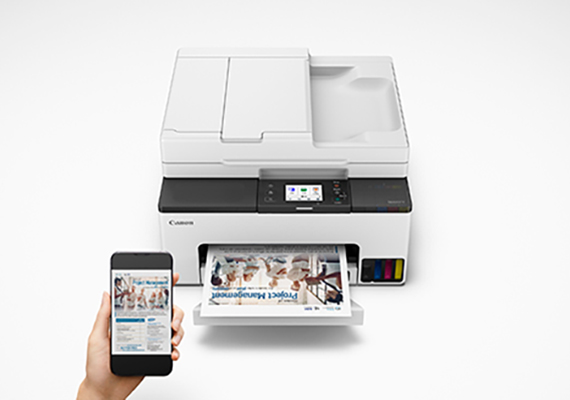
Full Network Compatibility
Wireless and wired LAN connectivity enhances installation flexibility. Print wirelessly and connect to smart devices directly.
Related Pages
Related Consumables
Ink/Ribbon/Print Head
|
Product Name
|
Page Yield
|
Product Type
|
Price
|
|
GI-75 C (Cyan)
|
3000
pages
|
Ink Bottle
|
MRP Rs. 495.00/U
inclusive of all taxes
|
|
GI-75 M (Magenta)
|
3000
pages
|
Ink Bottle
|
MRP Rs. 495.00/U
inclusive of all taxes
|
|
GI-75 PGBK (Pigment Black)
|
3000
pages
|
Ink Bottle
|
MRP Rs. 445.00/U
inclusive of all taxes
|
|
GI-75 Y (Yellow)
|
3000
pages
|
Ink Bottle
|
MRP Rs. 495.00/U
inclusive of all taxes
|
|
MC-G05
|
Maintenance Cartridge
|
||
|
BH-G2 (Black)
|
Print Head
|
||
|
CH-G2 (Colour)
|
Print Head
|
Disclaimer
- 01. Page yields may vary depending on content coverage, print settings, temperature, humidity, and frequency of printing.
- 02. For ink bottle, the declared yield value is the estimated value based on Canon individual test method using the ISO/IEC 24712 colour chart and continuous printing simulation with the replacement ink bottles after initial setup. The colour yield is based on 1 set composite colour bottles.
-
03. For ink cartridge, the declared yield value is in accordance with ISO/IEC 24711, using the ISO/IEC 24712 colour chart. Values obtained by continuous printing.
Click here for more information
Paper/Specialty Media
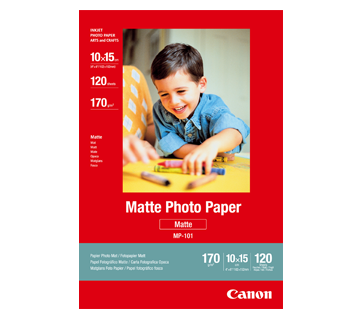
120 sheets
MP-101 Matte Photo Paper
- Non-reflective surface
- Ideal for craft making, greeting cards and scrapbooking
- Colours last up to 15 years
- Grammage – 170g/m2
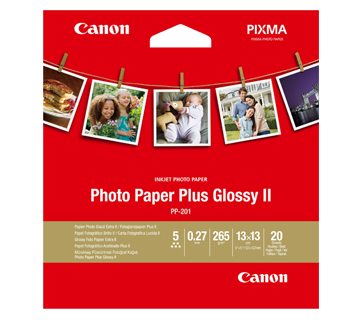
20 N
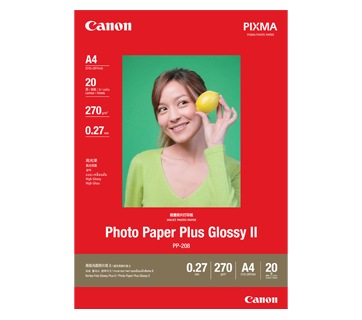
PP-201 Photo Paper Plus Glossy II
- Excellent photographic result
- Glossy finish, vibrant colour
- Looks and feels like a traditional photograph
- Colours last up to 30 years
- Grammage - 265g/m2 (3.5 x 3.5”)
Grammage - 275g/m2 (A3, A3+)
Related Reads

Specifications
Print Head/Consumables |
|
Number of Nozzles |
Total 3,136 nozzles |
Ink Bottles (Type/Colours) |
GI-75 (All Pigment Inks / Black, Cyan, Magenta, Yellow) |
Maintenance Cartridge |
MC-G05 |
Maximum Print Resolution |
600 (horizontal) x 1,200 (vertical) dpi |
Print Speed*1
Based on ISO/IEC 24734
|
|
Document (ESAT/Simplex) |
15 / 10 images per minute (mono/colour) |
Document (ESAT/Duplex) |
8 / 6 images per minute (mono/colour) |
Document (FPOT Ready/Simplex) |
9 / 11 s (mono/colour) |
Scan*2
Scanner Type |
Flatbed (ADF/Platen) |
Scanner Technology |
Contact Image Sensor (CIS) |
Optical Resolution*3 |
1,200 x 2,400 dpi |
Scanning Bit Depth (Input/Output) |
|
Greyscale |
16 bit / 8 bit |
Colour |
RGB each 16 bit / 8 bit |
Maximum Document Size |
|
Flatbed |
A4, LTR (216 x 297 mm) |
ADF |
A4, LTR, LGL |
Copy
Copy Speed*4
Based on ISO/IEC 24734
|
|
Document (Colour):
|
17 s / 9.1 images per minute |
Document (ADF):
|
14.1 / 8.1 images per minute |
Maximum Copies |
99 pages |
Maximum Document Size |
A4, LTR, LGL |
Reduction/Enlargement |
25 - 400% |
Copy Features |
Two-sided, Collate, 2-on-1, 4-on-1, Frame Erase, ID Copy |
Fax
Type |
Desktop Transceiver (Super G3/Colour Communication) |
Transmission Speed*5 |
|
Mono |
3 s |
Colour |
1 min |
Modem Speed |
Max. 33.6 kbps (Automatic fall back) |
Compression |
|
Mono |
MH, MR, MMR |
Colour |
JPEG |
Gradation |
|
Mono |
256 levels |
Colour |
RGB each 8 bit |
ECM (Error Correction Mode) |
Available |
Automatic Dialling |
|
Coded Speed Dialling |
Max. 100 locations |
Group Dialling |
Max. 99 locations |
Transmission/Reception Memory*6 |
Approx. 250 pages |
PC Fax
Type |
Windows, macOS |
Mono/Colour |
B/W Transmission only |
Paper Handling
Print Margin |
|
Bordered Printing |
Envelope (COM10, DL, C5, Monarch):
|
Bordered Auto 2-Sided Printing |
Top/Bottom/Left/Right: 5 mm |
Supported Media |
|
Cassette |
Plain Paper (64 - 105 g/m²)
|
Paper Size |
|
Cassette |
A4, A5, A6, B5, LTR, LGL, B-Oficio, M-Oficio, Foolscap, LGL (India) Executive, Envelope (COM10, DL, C5, Monarch), 10.16x15.24cm , 12.7x17.78cm, 20.32x22.86cm, 17.78x25.40cm: |
Auto 2-Sided Printing
|
A4, LTR |
Maximum Capacity |
|
Cassette |
Plain Paper (A4, LTR): 250
|
Auto Document Feeder |
Plain Paper (A4, LTR): 35
|
Paper Weight |
|
Cassette |
Plain Paper: 64 - 105 g/m²
|
Network
Protocol |
SNMP, HTTP, TCP/IP (IPv4/IPv6) |
Wired LAN |
|
Type |
IEEE802.3u (100BASE-TX) / IEEE802.3 (10BASE-T) |
Security |
IEEE 802.1X (EAP-TLS/EAP-TTLS/PEAP) |
Wireless LAN |
|
Type |
IEEE802.11b/g/n
|
Security |
WPA-PSK (TKIP/AES) |
Direct Connection (Wireless LAN) |
Available |
Printing Solutions
Canon Printing Apps |
|
Mobile |
Canon PRINT, Easy-PhotoPrint Editor, Creative Park |
Others |
Easy-Layout Editor, PosterArtist Lite, PosterArtist (Web), Canon Inkjet Smart Connect |
Mobile/Cloud Printing Solutions |
AirPrint, Mopria, Canon Print Service (Android), Direct Wireless, Cloud Link |
System Requirements
OS System Compatibility*9 |
Windows 11 / 10 / 8.1 / 7 SP1
|
General Specifications
Operation Panel |
|
Display |
6.85cm (2.7”) LCD (Touchscreen, Colour) |
Interface |
USB 2.0 |
Operating Environment*10 |
|
Temperature |
5 - 35°C |
Humidity |
10 - 90% RH (no dew condensation) |
Recommended Environment*11 |
|
Temperature |
15 - 30°C |
Humidity |
10 - 80% RH (no dew condensation) |
Storage Environment |
|
Temperature |
0 - 40°C |
Humidity |
5 - 95% RH (no dew condensation) |
Quiet Mode |
Available |
Acoustic Noise*12 |
|
Plain Paper (A4, Mono) |
46.5 dB(A) |
Power Requirements |
AC 100 - 240 V, 50/60 Hz |
Power Consumption (Approx.) |
|
OFF |
0.1 W |
Standby |
0.8 W |
Operation*13 |
22 W |
Duty Cycle |
Up to 27,000 pages/month |
Dimensions (W x D x H) |
|
Factory Configuration |
374 x 380 x 225 mm |
Output/ADF Trays Extended |
374 x 510 x 260 mm |
Weight |
8.1 kg |
Page Yield
Plain Paper (A4 pages)
|
Standard:
|
- Document print speeds are the average of ESAT (Word, Excel, PDF) in Office Category Test for the default simplex mode, ISO/IEC 24734.
Print speed may vary depending on system configuration, interface, software, document complexity, print mode, page coverage, type of paper used etc. - TWAIN driver (ScanGear) is based on the TWAIN specification V1.9 and requires the Data Source Manager comes with the operating system.
- Optical resolution scan is available, only when you use TWAIN Driver.
Optical resolution is a measure of maximum hardware sampling resolution, based on ISO 14473 standard. - Copy speeds are the average of sFCOT and sESAT, ISO/IEC 29183.
Copy speeds (ADF) are ESAT of copy in sequence, ISO/IEC 24735.
Copy speed may vary depending on document complexity, copy mode, page coverage, type of paper used etc. and does not take into account warm-up time. - Black & white document fax transmission speed is based on default setting using ITU-T No.1 chart. Colour document fax transmission speed is based on default setting using Canon Colour Fax Test Sheet. Actual transmission speed may vary depending on document complexity, fax settings at receiving end, and line conditions etc.
- Page count is based on ITU-T No.1 chart or Canon FAX Standard Chart No.1.
- 2.4 GHz and 5 GHz (Wireless LAN IEEE802.11a/ac/b/g/n) is applicable for Taiwan models only.
- IEEE802.1X (EAP-TLS/EAP-TTLS/PEAP).
- Please visit https://asia.canon/support to check OS compatibility and to download the latest driver updates.
- The performance of the printer may be reduced under certain temperature and humidity conditions.
- For the temperature and humidity conditions of papers such as photo paper, refer to the paper's packaging or the supplied instructions.
- Acoustic Noise is measured based on ISO7779 standard with default settings.
- When copying ISO/JIS-SCID N2 (printed by inkjet printer) on A4 size plain paper using default settings.
- Page yield is the estimated value based on Canon individual test method using the ISO/IEC 24712 colour chart and continuous printing simulation with the Standard ink bottles after initial setup. Page yield varies significantly depending on contents printed and other factors. Package contains Standard Black, Cyan, Magenta and Yellow ink bottles.
- Based on 1 set of colour bottles.
- The Economy mode reduces the ink consumption by lowering the density. More pages can be printed than the Standard mode.
Disclaimer
-
To keep printer's performance, Canon printer performs cleaning automatically according to its condition. When the printer performs cleaning, a small amount of ink is consumed. In this case, all colours of ink may be consumed.
[Cleaning function]
The cleaning function helps the printer to suck air bubbles or ink itself from the nozzle and thus prevents print quality degradation or nozzle clogging. - The repairing parts for printers will be available five years after production is discontinued. Depending on your model, we may ask you to replace it with a new model, or one with almost the same performance as a maintenance service. In this case, you may not be able to use the supplies or accessories for the model or the compatible OS will be changed.
- To obtain good printing quality, use up ink within six months after opening.
- Depending on your terminal, such as a computer or a smartphone, or the operating system of your terminal, such as your computer or smartphone, the estimated ink level information or message displayed on the screen of your terminal may be different from the information or message displayed on the operation panel of the printer. Also, a part of the estimated ink level message displayed on the operation panel of the printer may not be displayed and/or may be displayed at a different point in time. Canon recommends that you use the information and message displayed on the operation panel of the printer as your reference. Note, however, that such information and message are displayed items serve only as a guideline information.
- Even when black-only or grayscale printing is selected, depending on the printing material and driver settings used, colour inks might still be consumed when printing. When the remaining ink level of any ink tank falls below the lower limit line, Canon recommends that you refill that ink bottle with the corresponding ink colour.
- During the initial printer setup, a certain amount of ink is used to fill the print head's nozzles with ink. Therefore, the page yield of the initial bundled set of ink bottles will be lower than that of the subsequent sets of bottles.
- The estimated page yield and/or print cost stated in brochures/catalogs/websites etc. is/are determined not based on the initial set of bundled ink bottles, but based on subsequent sets of ink bottles after print head nozzles have been filled with ink from the initial set of ink bottles.
- The warranty term for details, contact a Canon-authorized sales representative in the country or region you live in. The warranty covers only the printer main body excluding consumables such as print media and ink/ink bottles even during the warranty period. Ink bottles sold are generally meant for use with printers sold in the same region.
- The ink bottles may bear unique labels or configurations and may not be compatible for use with printers sold in another region. To ensure optimal performance of your printer, please check with your local Canon office or authorised Canon reseller before relocating your printer from the location of purchase.
- Using non-genuine inks may affect the printer's performance and/or the print quality. In some rare occasions, although there are no safety issues, using non-genuine inks has caused overheating of the print head and smoke emission from the print head due to the absence of an ingredient found in genuine ink. (Does not apply to usage of all non-genuine inks).
- Please take note that if the printer fault or breakdown is due to the usage of non-genuine inks, repair charges are applicable even if the claim is within the warranty period.
- Depending on your terminal, such as a computer or a smartphone, or the operating system of your the terminal, such as your computer or smartphone, the information or the message related to the estimated remaining capacity of the maintenance cartridge usage displayed on the screen of your terminal may be different from the information or message displayed on the operation panel of the printer. Also, the message for the estimated remaining capacity of the maintenance cartridge usage may be displayed at a different point in time. Canon recommends that you use the information and massage displayed on the operation panel of the printer as your reference.
- While using the printer, the maintenance cartridge may be filled with the ejected ink.
When the maintenance cartridge is filled, printing will stop to prevent ink leakage from a maintenance cartridge, and you need to replace it with a new one.
You need to purchase a new maintenance cartridge in advance and replace the filled one with the new one by yourself in accordance with the instructions. - The page yield (A4 size) is based on the consumption data from the succeeding ink bottle set but
not the first ink bottle set.
Page yield is the estimated value based on Canon individual test method using the ISO/IEC 24712 chart under ideal print conditions & continuous printing simulation with the replacement after initial setup. Mentioned print yield is from the replacement set of 4-ink bottles (C/M/Y/BK). Black bottle contains 70ml ink and each colour bottle contains 40ml of ink. Page yield varies significantly depending on contents printed and other factors.
Where To Buy / Service
TCO Calculator

Product Disclaimer
- 01. Prices, specifications, availability and terms of offers may change without notice.
- 02. Products / Services may be manufactured by and/or supplied to us by third party manufacturers / suppliers for distribution / resale (non-Canon brand products).
- 03. Prices above are maximum retail price (MRP) and may change without prior notice.
Disclaimer
- 01.Prices, specifications, availability and terms of offers may change without notice.
- 02.Products / Services may be manufactured by and/or supplied to us by third party manufacturers / suppliers for distribution / resale (non-Canon brand products).
- 03.Prices above are maximum retail price (MRP) and may change without prior notice.
- 04.This calculator indicates the total cost of ownership based on the following calculation:
i. This projection is prepared as an estimate for illustration purposes only, based on assumptions derived from the user's own assessment of needs and forecasted usage. Actual cost of ownership may vary depending on the user's actual usage patterns, printing environment, maintenance cycles and other factors not considered in this calculation. - 05.Page yields may vary depending on content coverage, print settings, temperature, humidity, and frequency of printing.
- 06.For ink bottle, the declared yield value is the estimated value based on Canon individual test method using the ISO/IEC 24712 colour chart and continuous printing simulation with the replacement ink bottles after initial setup. The colour yield is based on 1 set composite colour bottles.
- 07.For ink cartridge, the declared yield value is in accordance with ISO/IEC 24711, using the ISO/IEC 24712 colour chart. Values obtained by continuous printing. Click here for more information