


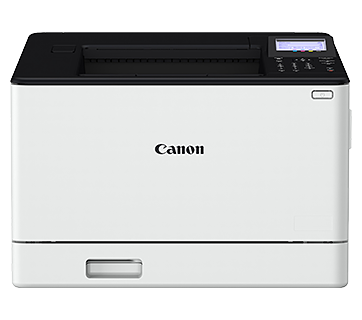




Can I Print Directly from the Camera without Using a Computer?
Solution
Print your shots by connecting the camera to a PictBridge-compatible printer with a USB cable (sold separately; camera end: Micro-B).
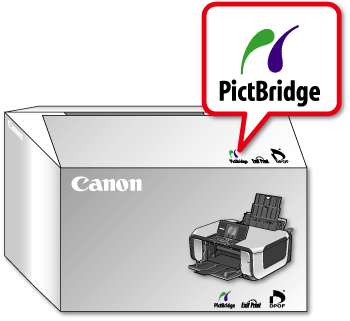
The Logos below indiate that the printer is PictBridge-compatible.
These logos mean that you can connect your camera and printer, and print directly from the camera. Check the printer body, packaging or user manual.
NOTE
- The PictBridge logo may also be found on the printer unit.

Follow the steps below to print by connecting the camera to a PictBridge-compatible printer (sold separately) with a USB cable.
IMPORTANT
- The position and shape of the operation buttons, the screens displayed, and the settings will differ depending on your device model.
- The instructions are given using PowerShot SX70 HS as an example.
- A Canon SELPHY CP series compact photo printer is used here for the sake of illustration. Screens displayed and available functions vary by printer. Also refer to the printer manual for additional information.
1. Makes sure the camera and printer are off.
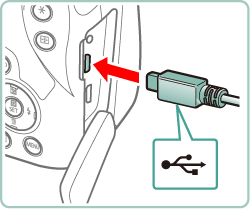
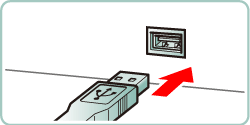
2. Connect the USB cable to the DIGITAL terminal of the camera and connect the other end to the USB terminal of the printer.
- Open the terminal cover, holding the smaller cable plug in the orientation shown. Insert the plug fully into the camera terminal.
- Connect the larger cable plug to the printer. For other connection details, refer to the printer manual.
3. Turn the printer on.
4. Press the  button.
button.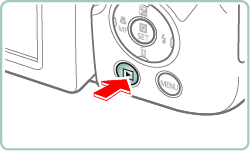
5. Press the  /
/  buttons to choose an image, then press the
  button.
/ buttons to choose an image, then press the button.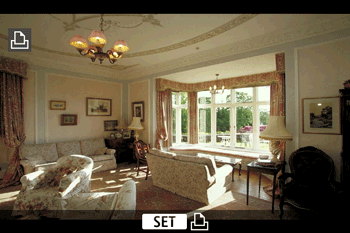
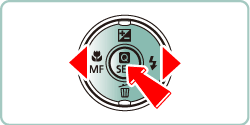
6. Press the / buttons to choose [Print image] , then press the button.
/ buttons to choose [Print image] , then press the button.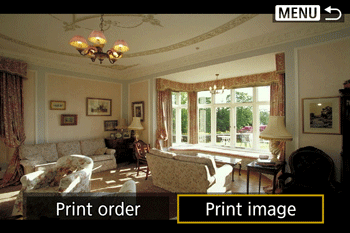
7. Press the  /
/  buttons to choose [Print] , then press the button.
/ buttons to choose [Print] , then press the button.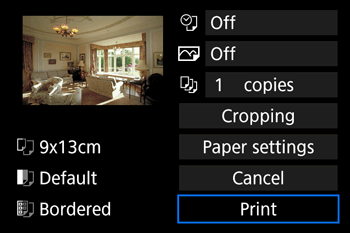
8. [Start printing] will be displayed, press the / buttons to choose [ OK ], then press the button.
/ buttons to choose [ OK ], then press the button.- Printing now begins.
- To print other images, after printing is finished, repeat this procedure from step 4.
- When you are finished printing, turn the camera and printer off and disconnect the cable.