






Setting Continuous Shooting
Solution
You can hold the shutter button all the way down to shoot continuously.
IMPORTANT
- Cannot be used with the self-timer.
- Shooting may stop momentarily or continuous shooting may slow down depending on shooting conditions, camera settings, and the zoom position.
- As more shots are taken, shooting may slow down.
- Shooting may slow down if the flash fires.
1. Press the <Power> button.
2. Press the <FUNC./SET> ( ) button, choose [Drive mode] in the menu, and then choose (
 ).
).
) button, choose [Drive mode] in the menu, and then choose ().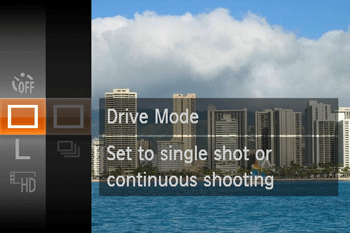

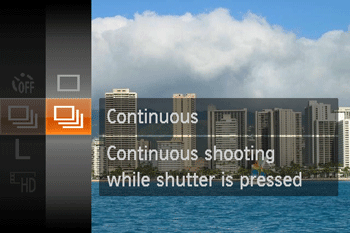
3. The following screen appears.
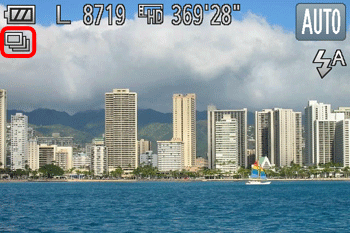
If the [Continuous] () icon is displayed on the upper-left part of the screen, the setting is completed.
) icon is displayed on the upper-left part of the screen, the setting is completed.As long as you hold the <Shutter button> down, the camera will shoot successive images.
For details on continuous shooting speeds, please see the table below.
| Models | Shooting Modes | Maximum Speed (Approx. Images/sec.) |
|---|---|---|
| IXUS 165 PowerShot ELPH 160 / IXUS 160 PowerShot ELPH 170 IS / IXUS 170 |  , ,  | 0.8 |
Low Light  | 2.2 |