



Is it possible to produce images showing effects characteristic of special camera types? (Creative filters) (EOS M3)
Solution
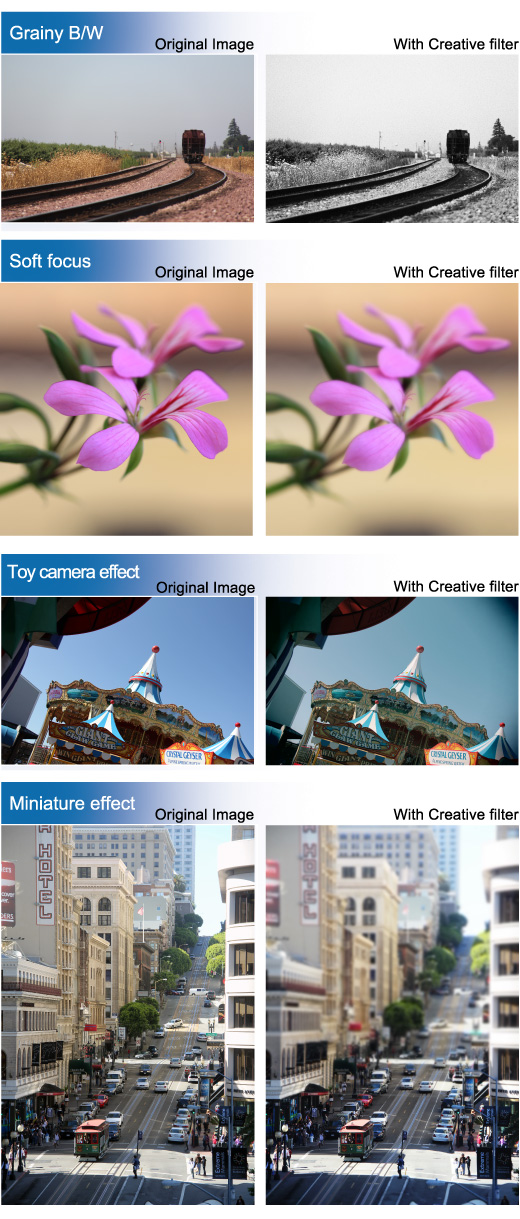
Images can have the effects of shooting in [Fish-eye effect ], [Art bold effect], [Water painting effect ], [Miniature effect ], [Toy camera effect ], [ Soft focus], and [Rough Monochrome] modes applied to them, then be saved as a separate image.
IMPORTANT
When you take the picture, the camera saves only the image with the filter effect applied. If you also want to save the image without a filter effect applied, take the picture without a filter effect. Then apply a filter effect and save it as a new image.
NOTE
Try taking some test shots first, to make sure you obtain the desired results.
Fish-eye effect [  ] ] | Gives the effect of a fish-eye lens. |
Art bold effect [  ] ] | Makes the photo look like an oil painting and the subject look three-dimensional. |
Water painting effect [  ] ] | Makes the photo look like a watercolor painting with soft colors. |
Miniature Effect [  ] ] | Creates the effect of a miniature model, by blurring image areas above and below your selected area. You can also make movies that look like scenes in miniature models by choosing the playback speed before the movie is recorded. People and objects in the scene will move quickly during playback. Note that sound is not recorded. |
Toy Camera Effect [  ] ] | This effect makes images resemble shots from a toy camera by vignetting (darker, blurred image corners) and changing the overall color. |
Soft Focus Effect [  ] ] | This function allows you to shoot images as if a soft focus filter were attached to the camera. You can adjust the effect level as desired. |
Rough Monochrome [  ] ] | You can take pictures with a rough monochrome feel. |
1. Set the camera’s power to ON.
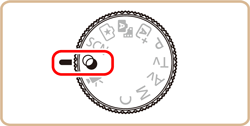
2. Set the mode dial to [  ].
].
].
3. Press the [  ] button.
] button.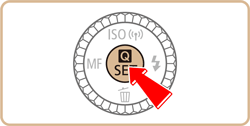
4. Press the [  ], [
], [  ] buttons to choose [Shooting mode] in the menu.
], [ ] buttons to choose [Shooting mode] in the menu.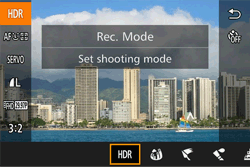
5. Press the [  ], [
], [  ] buttons or turn the [
  ] dial to choose the desired filter effect.
], [ ] buttons or turn the [ ] dial to choose the desired filter effect.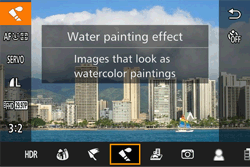
6. Press the [ ] button.
] button.You can confirm the filter effect on the LCD monitor.
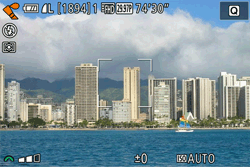
7. Adjust the filter effect.]
The [  ] (except for Toy camera) or [
  ] (Toy camera) indicator will appear on the bottom of the screen. Turn the [
  ] dial to adjust the effect while checking the results on the LCD monitor.
] (except for Toy camera) or [ ] (Toy camera) indicator will appear on the bottom of the screen. Turn the [ ] dial to adjust the effect while checking the results on the LCD monitor.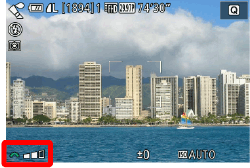
REFERENCE
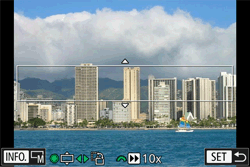
In miniature mode, a white frame is displayed, indicating the image area that will not be blurred. Press the [ ] button, and then press the [  ] button to resize the frame.
] button, and then press the [ ] button to resize the frame.Next, press the [ ], [ ], [ ], [ ] buttons or turn the [ ] dial to move the frame.
], [ ], [ ], [ ] buttons or turn the [ ] dial to move the frame.You can turn the [ ] dial to choose the movie playback speed. Press the [ ] button to return to the shooting screen and then shoot.
] dial to choose the movie playback speed. Press the [ ] button to return to the shooting screen and then shoot.For more information on setting the playback speed, please refer to the camera's instruction manual.
6. Press the shutter button to shoot.
You can apply Creative filters even during image playback. An image applied with a Creative filter during playback can be saved as a new image, leaving the original image intact.
You can use the same Creative filters that are available during shooting.
1. Press and hold the [  ] button to turn the camera on.
] button to turn the camera on.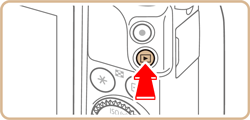
2. Press the [ ], [ ] buttons or turn the [ ] dial to choose the desired image.
], [ ] buttons or turn the [ ] dial to choose the desired image.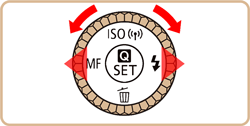

3. Press the [ ] button.
] button.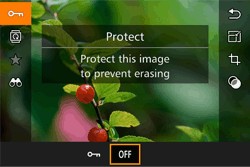
4. Press the [ ], [ ] buttons to choose [Creative Filter () ] in the menu, and then press the [ ], [ ] buttons or turn the [ ] dial to select the desired effect.
], [ ] buttons to choose [Creative Filter () ] in the menu, and then press the [ ], [ ] buttons or turn the [ ] dial to select the desired effect.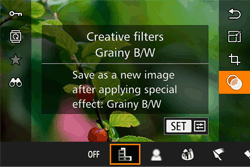
5. When you press the [ ] button, the effect you selected will be applied to the image.
] button, the effect you selected will be applied to the image.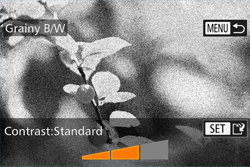
6. Press the [ ], [ ] buttons or turn the [ ] dial to adjust the effect, and then press the [ ] button.
], [ ] buttons or turn the [ ] dial to adjust the effect, and then press the [ ] button.REFERENCE
In [Miniature mode] (), press the [ ] button to adjust the size of the frame. Next, press the [ ], [ ], [ ], [ ] buttons or turn the [ ] dial to move the frame.
), press the [ ] button to adjust the size of the frame. Next, press the [ ], [ ], [ ], [ ] buttons or turn the [ ] dial to move the frame.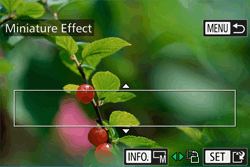
7. After [Save new image?] is displayed, press the [ ] ,[ ] buttons or turn the [ ] dial to choose [OK], then press the [ ] button.
] ,[ ] buttons or turn the [ ] dial to choose [OK], then press the [ ] button.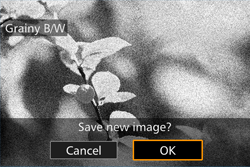
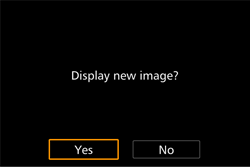
8. Press the [ ], [ ] buttons or turn the [ ] dial to choose [Yes], then press the [ ] button.
], [ ] buttons or turn the [ ] dial to choose [Yes], then press the [ ] button.- The saved image is now displayed.