






Image Playback with the Camera (EOS REBEL T5/EOS 1200D)
Solution
The procedure for playing back images with the camera is explained below.
1. Set the camera's power switch to <ON>.
2. If the < > button is pressed, the last captured image or last image played back will appear.
> button is pressed, the last captured image or last image played back will appear.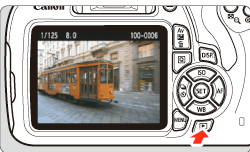
3. To view images starting with the last image, press the < > key. To view images starting with the first (oldest) image, press the <
 > key.
> key. To view images starting with the first (oldest) image, press the <> key.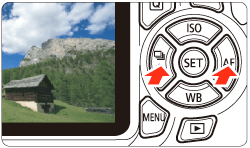
Each time you press the <DISP.> button, the display format will change.
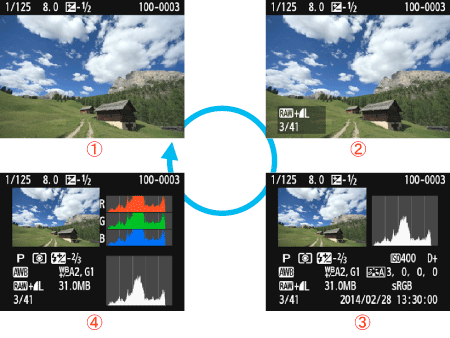
 With basic information
 Basic information + Image quality/Playback number
 Shooting information display
 Histogram
4. Press the <> button to exit the image playback and return to the shooting settings display.
> button to exit the image playback and return to the shooting settings display.