






Resizing Images
Solution
The procedure for shrinking an image`s resolution and saving it as a new image is explained below.
IMPORTANT
The position and shape of the operation buttons may differ according to the model you use.
1. Press the < > button to enter Playback mode.
> button to enter Playback mode.2. Press the <MENU> button and choose [Resize] on the [  ] tab.
] tab.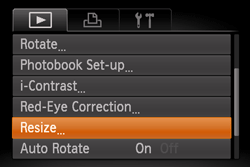
3. Press the < ><
>< > buttons or turn the <
 > dial to choose an image, and then press the <FUNC./SET> (
 ) button.
><> buttons or turn the <> dial to choose an image, and then press the <FUNC./SET> () button.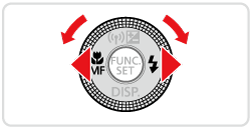
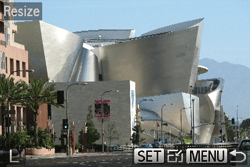
4. Press the <><> buttons or turn the <> dial to choose the size, and then press the <FUNC./SET> () button.
><> buttons or turn the <> dial to choose the size, and then press the <FUNC./SET> () button.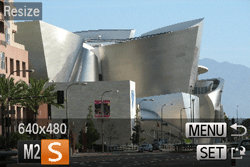
NOTE
Images cannot be resized to a higher resolution.
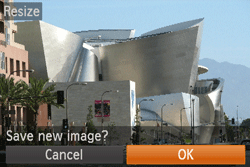
5. Press the <><> buttons or turn the <> dial to choose [OK], and then press the <FUNC./SET> () button.
><> buttons or turn the <> dial to choose [OK], and then press the <FUNC./SET> () button.The image is now saved as a new file.
6. Press the <MENU> button. [Display new image?] is displayed.
Press the <><> buttons or turn the <> dial to choose [Yes], and then press the <FUNC./SET> () button.
><> buttons or turn the <> dial to choose [Yes], and then press the <FUNC./SET> () button.
The saved image is now displayed.
IMPORTANT
Editing is not possible for images shot at a resolution of [  ] or saved as [ ] in step 4.
] or saved as [ ] in step 4.- RAW images cannot be edited.
This completes the steps for shrinking an image`s resolution and saving it as a new image.