






How do I change the metering mode?
Solution
The metering mode is the method of measuring the brightness of the subject. Normally, evaluative metering is recommended.
| Evaluative metering |  | 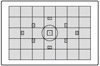 | This is an all-around metering mode suited for portraits and even backlit subjects. The camera sets the exposure automatically to suit the scene. This metering mode is set automatically in the Basic Zone modes. |
| Partial metering |  | 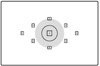 | Effective when the background is much brighter than the subject due to backlighting, etc. The gray area in the left figure is where the metering is weighted to obtain the standard exposure. |
| Spot metering |  | 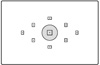 | This is for metering a specific part of the subject or scene. The gray area in the left figure is where the metering is weighted to obtain the standard exposure. This metering mode is for advanced users. |
| Center-weighted average metering |  | 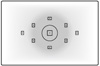 | The metering is weighted at the center and then averaged for the entire scene. This metering mode is for advanced users. |
To change the metering mode, follow the steps below.
1. Set the power switch to <ON>.
2. When the camera is ready to shoot, press the <  >(Metering mode) button to display the [Metering mode] screen.
>(Metering mode) button to display the [Metering mode] screen.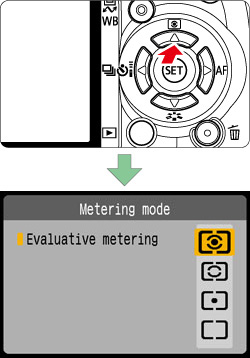
3. Press the <Cross Key> to select to the desired mode, then press the <SET> button.
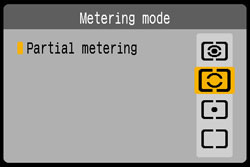
This completes the metering mode changing.