







TONER SAVER MODE
Solution
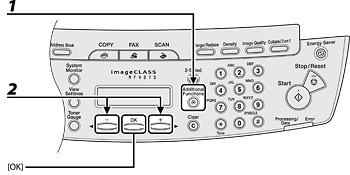
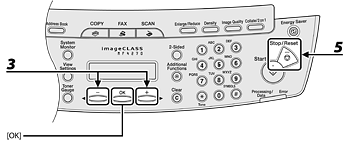
The default setting is <OFF>.
<ON>: Reduces toner consumption.
<OFF>: Does not reduce toner consumption.
NOTE
<TONER SAVER MODE> is not effective for print jobs.
NOTE
- If you press [Stop/Reset] before pressing [OK], the setting will not be registered.
- Press [Additional Functions] to return to the previous display.